Table of Contents
Email communication has evolved significantly, especially for businesses relying on user interaction, order processing, appointments, deliveries, events, reviews, and customer engagement. Today, there’s more pressure than ever to make emails actionable, smart, and user-friendly. One of the most powerful technologies enabling this transformation is Email Markup Structured Data.
With email markup, your emails can display:
These enhancements turn ordinary emails into interactive experiences — all inside the user’s inbox.
Email Markup is a structured data format — usually in JSON-LD — that helps email clients like Gmail understand the context, purpose, and action inside an email.
Just like Schema Markup improves website SEO, Email Schema Markup improves email experience.
When you embed structured data inside an email, Gmail can automatically display:
These enhancements reduce friction for users by enabling actions directly from the inbox — without opening a website.
Traditionally, completing an action from an email required multiple steps:
This led to user drop-offs and lower conversions.
Google introduced email markup to replace this multi-step flow with a one-tap experience.
Examples:
The result?
Better user experience and higher engagement.
Email Markup is valuable for:
Essentially, any business sending transactional or action-based emails should use it.
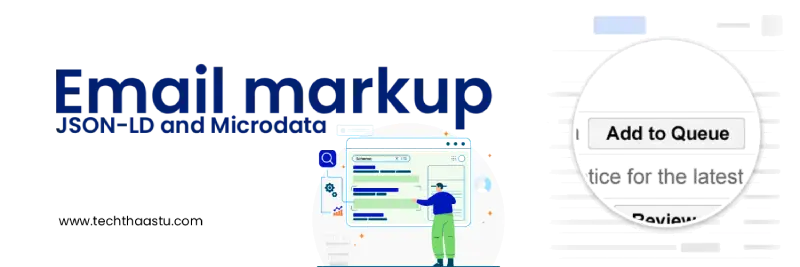
Below is the most comprehensive list of email markup examples you will find online — all in JSON-LD format.
These actions let users complete tasks instantly.
Use Case: User signs up -> Gmail shows a button -> Verify Email
<script type="application/ld+json">
{
  "@context": "http://schema.org",
  "@type": "EmailMessage",
  "description": "Click the button below to verify your email address.",
  "action": {
    "@type": "ConfirmAction",
    "name": "Verify Email",
    "handler": {
      "@type": "HttpActionHandler",
      "url": "https://yourdomain.com/verify?token=12345"
    }
  }
}
</script>
<script type="application/ld+json">
{
  "@context": "http://schema.org",
  "@type": "EmailMessage",
  "description": "Reset your password by clicking the button below.",
  "action": {
    "@type": "ConfirmAction",
    "name": "Reset Password",
    "handler": {
      "@type": "HttpActionHandler",
      "url": "https://yourdomain.com/reset-password?token=abc123"
    }
  }
}
</script>
Useful for:
<script type="application/ld+json">
{
  "@context": "http://schema.org",
  "@type": "EmailMessage",
  "description": "Reset your password by clicking the button below.",
  "action": {
    "@type": "ConfirmAction",
    "name": "Reset Password",
    "handler": {
      "@type": "HttpActionHandler",
      "url": "https://yourdomain.com/reset-password?token=abc123"
    }
  }
}
</script>
You can add a reject action using DisagreeAction.
Allows users to open important pages.
<script type="application/ld+json">
{
  "@context": "http://schema.org",
  "@type": "EmailMessage",
  "action": {
    "@type": "ViewAction",
    "name": "Track Your Order",
    "url": "https://yourdomain.com/order/track/12345"
  }
}
</script>
<script type="application/ld+json">
{
  "@context": "http://schema.org",
  "@type": "EmailMessage",
  "action": {
    "@type": "ViewAction",
    "name": "View Invoice",
    "url": "https://yourdomain.com/invoice/56789"
  }
}
</script>
Shows Yes/No/Maybe buttons inside the inbox.
<script type="application/ld+json">
{
  "@context": "http://schema.org",
  "@type": "EventReservation",
  "reservationStatus": "http://schema.org/ReservationConfirmed",
  "reservationId": "ABC123",
  "underName": {
    "@type": "Person",
    "name": "Hemant Sharma"
  },
  "reservationFor": {
    "@type": "Event",
    "name": "Online Webinar",
    "startDate": "2025-11-10T10:00:00+05:30"
  },
  "potentialAction": {
    "@type": "RsvpAction",
    "target": "https://vbagetech.com/rsvp",
    "name": "RSVP Now"
  }
}
</script>
Used by e-commerce, delivery apps, and service businesses.
<script type="application/ld+json">
{
  "@context": "http://schema.org",
  "@type": "ReviewAction",
  "name": "Rate Your Order",
  "target": "https://yourdomain.com/review/order/1234"
}
</script>
Automatically organizes your receipts in Gmail.
<script type="application/ld+json">
{
  "@context": "http://schema.org",
  "@type": "Order",
  "merchant": {
    "@type": "Organization",
    "name": "Your Store"
  },
  "orderNumber": "12345",
  "orderStatus": "OrderProcessing",
  "priceCurrency": "INR",
  "price": "1999",
  "acceptedOffer": [{
    "@type": "Offer",
    "itemOffered": {
      "@type": "Product",
      "name": "Wireless Earbuds"
    },
    "price": "1999"
  }]
}
</script>
<script type="application/ld+json">
{
  "@context": "http://schema.org",
  "@type": "ParcelDelivery",
  "trackingNumber": "TRACK1234",
  "carrier": {
    "@type": "Organization",
    "name": "Delhivery"
  },
  "deliveryStatus": "InTransit",
  "expectedArrivalUntil": "2025-02-05T18:00:00+05:30"
}
</script>
Automatically organizes your booking or reservation in Gmail.
<script type="application/ld+json">
{
  "@context": "http://schema.org",
  "@type": "LodgingReservation",
  "reservationId": "HOTEL123",
  "reservationStatus": "ReservationConfirmed",
  "underName": {
    "@type": "Person",
    "name": "Rahul Kumar"
  },
  "reservationFor": {
    "@type": "LodgingBusiness",
    "name": "Sunrise Resort"
  },
  "checkinDate": "2025-12-10",
  "checkoutDate": "2025-12-15"
}
</script>
Airlines and travel apps use this heavily.
<script type="application/ld+json">
{
  "@context": "http://schema.org",
  "@type": "FlightReservation",
  "reservationId": "FLY123",
  "reservationStatus": "ReservationConfirmed",
  "underName": { "@type": "Person", "name": "Anita Singh" },
  "reservationFor": {
    "@type": "Flight",
    "flightNumber": "AI202",
    "airline": { "@type": "Airline", "name": "Air India" },
    "departureAirport": { "@type": "Airport", "name": "Delhi Airport" },
    "arrivalAirport": { "@type": "Airport", "name": "Mumbai Airport" },
    "departureTime": "2025-06-18T14:00:00+05:30"
  }
}
</script>
Organizes your calendar events in Gmail.
<script type="application/ld+json">
{
  "@context": "http://schema.org",
  "@type": "Event",
  "name": "Digital Marketing Workshop",
  "startDate": "2025-05-20T11:00:00+05:30",
  "endDate": "2025-05-20T13:00:00+05:30",
  "location": "Online"
}
</script>
This enhances your email in the promotions tab.
<script type="application/ld+json">
{
  "@context": "http://schema.org",
  "@type": "PromotionCard",
  "image": "https://yourdomain.com/promo.jpg",
  "title": "Flat 40% OFF",
  "description": "Limited-time deal on electronics",
  "url": "https://yourdomain.com/offers"
}
</script>
This enhances your email in the promotions tab.
<script type="application/ld+json">
{
  "@context": "http://schema.org",
  "@type": "Invoice",
  "paymentStatus": "PaymentComplete",
  "totalPaymentDue": {
    "@type": "MonetaryAmount",
    "currency": "INR",
    "value": "4500"
  },
  "provider": {
    "@type": "Organization",
    "name": "Your Company"
  }
}
</script>
<script type="application/ld+json">
{
  "@context": "http://schema.org",
  "@type": "Appointment",
  "provider": {
    "@type": "MedicalBusiness",
    "name": "HealthCare Clinic"
  },
  "startDate": "2025-04-15T12:00:00+05:30",
  "name": "Doctor Consultation"
}
</script>
Email markup structured data is not just a modern trend — it’s a powerful transformation tool for business communication. By enabling rich cards, action buttons, bookings, tickets, events, and order summaries inside the inbox, you empower users to act faster and engage more effectively.
Businesses that adopt email markup stand out with:
It’s time to upgrade your emails to the next level of intelligence.
Explore blogs you should also liked
Learn how I built a free automation emailer using Google Forms, Sheets, Apps Script, and Gmail. A complete beginner-friendly walkthrough to send personalized follow-up emails automatically—no paid tools, no coding expertise required.
Updated On: 2026-10-03 23:17:53
Read More
Learn how to rank your Google Business Profile with Google's relevance, distance and prominence framework, plus GBP optimization and Maps visibility tips.
Updated On: 2026-10-03 23:09:22
Read More
Learn how Meta Ads can work as a complete marketing funnel for a new brand—from awareness and trust to consideration, conversion, remarketing and customer growth.
Updated On: 2026-10-03 23:07:04
Read More
SEO, AEO, and GEO strategies that work in 2026 — updated Core Web Vitals thresholds, what replaced guest posting, and how to get cited by AI search.
Updated On: 2026-10-03 22:53:38
Read More Techthaastu builds practice management systems, client portals, and automation tools for CA firms, legal practices, and insurance companies across India. Based in New Delhi. Real team. Real results.
Just send us a mail.
Techthaastu Private Limited, Pt. Mehru Marg, Near Govt. Girls Senior Secondary School(Bijwasan), vill. Bharthal, Dwarka sector 26, New Delhi, India 110077
Techthaastu Support Team
Typically replies within an hour