What We Already Done Yet
CHECK OUR CREATIVE WORK
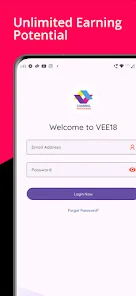


Techthaastu helps CA firms in Najafgarh plan and build Android applications for client communication, document collection, compliance coordination and internal work management. The scope starts with the way your firm operates, not with a predetermined list of features.
A CA practice may receive invoices, bank statements, tax documents and filing instructions through email, messaging applications, spreadsheets and phone calls. A document can arrive without the relevant period, a task may have no clear owner, or a client may contact the office simply to ask about progress.
The problem is not necessarily the number of messages. It is the absence of a consistent process for recording what was requested, what arrived, who reviewed it and what remains outstanding.
A properly scoped Android app connected to an appropriate back-end system can give staff and clients a clearer process without requiring the firm to replace every existing tool.
Create a client-specific request with a document list, applicable period and due date.
Record submissions and let authorised team members review the information and identify missing items.
Assign responsibility, track progress and update the client when the relevant stage is completed.
The workflow is illustrative. Final stages, permissions and integrations are agreed during project discovery.
The right solution depends on who will use it, how frequently they use it, what information they need and which existing systems must be connected.
A website explains your firm's services, experience, practice areas and contact options to prospective clients. It helps people discover the firm and make an enquiry.
Suitable when: The primary need is a professional online presence, service information and new-client enquiries—not a logged-in workflow.
A portal provides authenticated clients with access to their own document requests, submitted files, task status, invoices or other permitted information through a browser.
Suitable when: Clients mainly need to upload documents and check progress, while your staff work from a central browser-based dashboard.
A mobile app provides an app-based experience for staff or clients. A connected back end manages data, permissions, workflows and the information displayed in the app.
Suitable when: Frequent mobile use, push notifications, device-specific functionality or a dedicated app experience justifies the additional build and maintenance effort.
Existing CA practice-management products may already provide client records, tasks, document collection, compliance calendars, billing and mobile access. If one meets your needs, configuring or adopting it may be more economical than creating an entirely new application. Custom development becomes more relevant when your workflows, branding, permissions or required integrations cannot be handled adequately by the available product. Techthaastu can scope the custom requirement before recommending a build.
Each feature should have a clear purpose. The aim is to reduce repetitive coordination and improve visibility while keeping professional decisions and filing approvals with authorised members of your team.
Let clients upload requested files through an organised interface. Attach a client, reporting period and document category to each submission where appropriate.
Business outcome: Staff can identify missing information without searching unrelated chat threads or asking clients to resend files repeatedly.
Maintain task records for applicable GST, TDS, ITR, ROC or other agreed work. Show the responsible person, internal deadline, current status and outstanding dependencies.
Business outcome: Partners can identify delayed work and assign the next action without relying entirely on separate spreadsheets.
Configure reminders for agreed dates and outstanding documents. Templates can be linked to the relevant service and client workflow, subject to the selected notification channels.
Business outcome: Clients receive clearer requests and staff have a record of pending follow-ups. Reminder automation does not replace professional review of filing obligations or due dates.
Assign work to staff, record review stages and keep completion notes or supporting files with the appropriate task. Configure separate permissions for staff and partners.
Business outcome: Team members can see their responsibilities, while partners gain a clearer view of work awaiting review or further information.
Display relevant progress, pending documents, upcoming actions or invoice status to authenticated clients. Each user should only see information they are authorised to access.
Business outcome: Clients have a defined place to check progress instead of repeatedly contacting the office for routine updates.
Where required, connect invoice records, payment links and payment-status updates with the agreed billing process. A payment gateway or accounting integration requires separate technical assessment.
Business outcome: Staff can identify outstanding invoices and follow a consistent collection process without assuming every payment has been received.
API development, payment integration and database design are available technology capabilities. Specific connections to Tally, a GST-related service, a messaging provider or another external system depend on the required data, vendor permissions, available APIs, account access, licensing and testing. They should be listed as confirmed scope items only after technical feasibility is checked.
A CA practice serving local retailers, traders, wholesalers, small manufacturers or logistics businesses may receive very different types of documents and instructions from each client. A single generic checklist is unlikely to represent every service the firm provides.
A custom application can organise requests according to the client's service, reporting period and workflow. For example, an agreed document checklist for a recurring business-compliance engagement can differ from the documents requested for an individual income-tax return.
The purpose is not to create a separate application for every client. It is to establish reusable workflows with appropriate client-specific records, task ownership and access permissions.
An application handling tax documents and business records needs more than a working interface. Its data model, permissions, integrations, deployment and support arrangements need to be reviewed as part of the project.
Establish separate roles for partners, employees and clients. Apply server-side permission checks, protect data in transit, restrict access to necessary information, and define backup and recovery procedures.
The implementation should include appropriate logging, testing and access reviews. Security measures must be validated against the actual architecture; an authentication token or an encrypted connection alone does not make the complete system secure.
The application may require a database, back-end APIs, an admin panel, notification services, payment integration or connections to existing software. The selected components depend on the workflows and operating requirements.
Third-party access, vendor terms, API availability and external service changes must be considered before committing to an integration. The final proposal should distinguish tested capabilities from items requiring further validation.
Agree who will own or control the source code, repositories, Google Play Console account, domain, hosting and relevant third-party accounts. Specify the access and documentation that will be provided at handover.
Commercial ownership, licensing and any restrictions should be documented in the project agreement rather than assumed from the fact that the application has been developed.
Mobile operating systems, app-store requirements, external APIs and business workflows can change after deployment. Decide who will handle defect fixes, routine updates, dependency maintenance, monitoring and future enhancements.
Support hours, response targets, infrastructure charges and maintenance responsibilities should be stated in the agreed engagement.
AI-assisted development tools can accelerate prototypes and parts of implementation. They do not remove the need for experienced human review of access control, data exposure, integration behaviour, production testing, maintainability and handover. For a CA application, a feature is ready when its behaviour has been checked against the intended business process and permissions—not simply when its screen looks complete.
Techthaastu scopes the application around agreed requirements. The delivery plan, budget and schedule are confirmed after the workflows, dependencies and integrations have been reviewed.
Review the current document collection process, client categories, staff responsibilities, status updates and tools already in use. Decide whether a native app, web portal or a combination is justified.
Specify user roles, screens, workflows, data fields, integrations and acceptance criteria. Review the proposed design and confirm exclusions before implementation begins.
Develop the agreed app and supporting components. Validate API access, external service dependencies and data flows as integration work proceeds.
Test document submission, role permissions, reminder behaviour, incomplete information, failed requests and relevant device scenarios. Have the firm's authorised users review the agreed acceptance criteria before release.
Complete the agreed release and account handover, document operational responsibilities, onboard users and establish the post-launch support arrangement. Publishing is subject to the applicable store-review process and account readiness.
The number of user roles and screens, back-end complexity, data migration, external integrations, security requirements, user testing and third-party approvals can all affect delivery. A confirmed schedule should be based on the approved scope rather than a blanket promise that every CA app can be completed within the same number of days.
You do not need a finished technical specification. A clear description of the work and the people involved is a good starting point.
If you already use spreadsheets, accounting tools, a client portal or an existing application, include them in the discussion. They may affect whether data migration, integration or a more limited solution is appropriate.
Share your current client workflow, required features and any existing software. Techthaastu can use these details to discuss the appropriate application scope, integration requirements, technical approach and quotation for your Najafgarh-based practice.
CHECK OUR CREATIVE WORK
Crafting Excellence with Cutting-Edge Technologies


WHAT OUR CLIENT SAY

Ramesh Singh
I have associate with Techthaastu to develop my saloon website and it was Very Good Experience, Professional Work, Strongly Recommend Other People.
Bhupender Singh
Exemplary Web Development Firm! Astounding Proficiency, Seamless Correspondence, and Enthralling Creations. Warmly Advocated

Mukesh Pasbola
Tech Thastu is one of the best professional organised company to develop professional website and online marketing channel to develop business growth. I have been used their services for my business growth. Their Team provides the best outcome of services that matches the business profiles and requirements to make changes in the marketing platform.
Aman Sharma
I chose TechThaastu for my mobile app project, and they effortlessly met all my requirements. Their highly experienced team can tackle any issue in minutes, making the entire experience incredibly smooth and professional.
Frequently Asked Questions
Explore Related Blogs of the CA Android Apps in Najafgarh
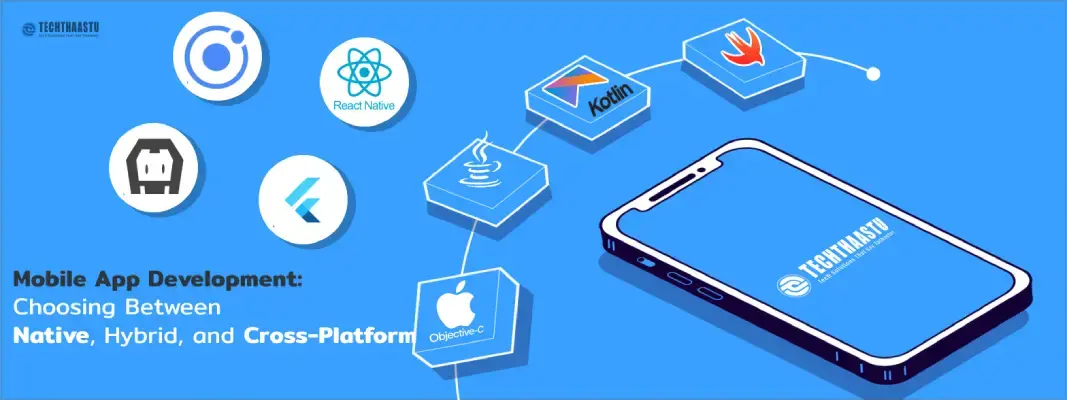
advantages and disadvantages of each, Recommendations for businesses on choosing the right app development approach based on their specific needs.
Updated On: 2024-08-05 18:17:17
Read More
Transform your business with a revolutionary mobile app solution.
Updated On: 2026-03-18 16:26:20
Read MorePlease feel free to call or email us, or use our contact form to get in touch with us. We look forward to hearing from you!
Our office:
Techthaastu Private Limited, Pt. Mehru Marg, Near Govt. Girls Senior Secondary School(Bijwasan), vill. Bharthal, Dwarka sector 26, New Delhi, India 110077
Call us:
+918383889042
Send Us Mail:
contact@techthaastu.com
Contact Techthaastu Team today and let our experienced team of professionals transform your digital aspirations into reality
 Techthaastu builds practice management systems, client portals, and automation tools for CA firms, legal practices, and insurance companies across India. Based in New Delhi. Real team. Real results.
 Just send us a mail.
Techthaastu Private Limited, Pt. Mehru Marg, Near Govt. Girls Senior Secondary School(Bijwasan), vill. Bharthal, Dwarka sector 26, New Delhi, India 110077
Techthaastu Support Team
Typically replies within an hour