Table of Contents
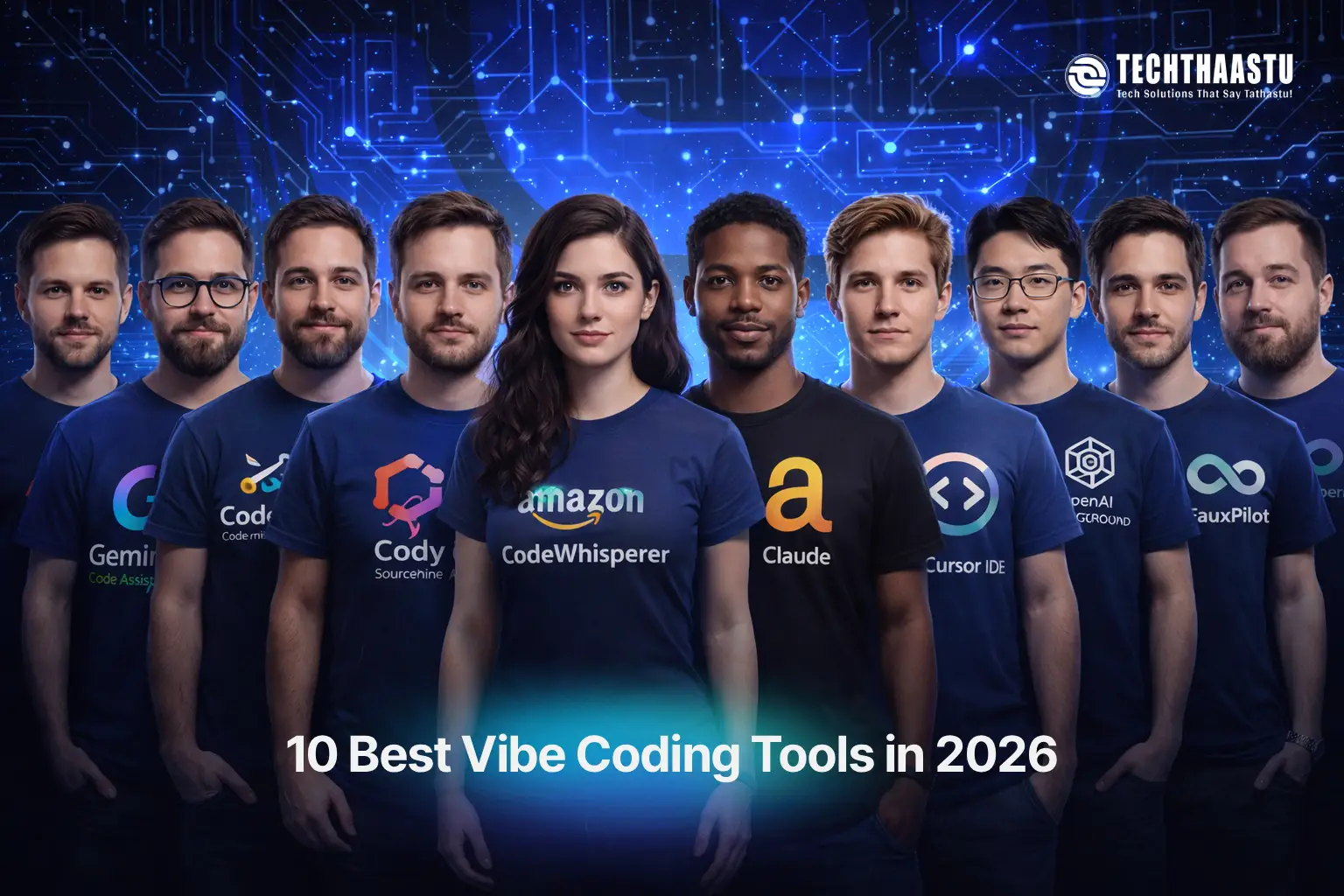
Vibe coding has transformed software development by allowing anyone to build applications using natural language prompts instead of traditional code. Instead of manually writing every function, developers now describe what they want, and AI converts that “vibe” into working software. In 2026, vibe coding tools are no longer experiments — they are production-ready assistants that improve speed, accuracy, and creativity.
In this article, we explore the 10 best vibe coding tools in 2026 that offer free access while delivering powerful results. Each tool helps generate, refactor, debug, and optimize code using conversational AI. Whether you are a beginner exploring programming, a startup founder prototyping fast, or a professional developer improving workflow efficiency, these AI coding assistants can significantly reduce development time while increasing output quality.
Gemini Code Assist is Google’s AI-powered coding companion designed to bring natural language programming directly into your IDE. It allows developers to describe functionality in simple English and instantly convert those ideas into executable code. This makes Gemini a strong vibe coding tool because it focuses on intent-driven development rather than syntax-first programming.
With Gemini, you can ask things like “create a REST API for user login” or “optimize this database query,” and the tool generates contextual code inside editors such as VS Code and JetBrains. It supports multiple languages including Java, Python, JavaScript, Kotlin, and PHP. Its strength lies in understanding large context, meaning it doesn’t just generate lines of code — it understands project structure, dependencies, and logic flow.
Gemini Code Assist also improves productivity by offering refactoring, documentation generation, error detection, and explanation features. Developers can highlight code and ask the AI to simplify it, make it secure, or convert it into another language. This makes it useful not only for writing code but also for maintaining and scaling projects.
The free tier in 2026 offers a generous number of daily requests, making it accessible for freelancers, students, and indie developers. While enterprise-grade features are paid, the free version already delivers professional-level results for vibe coding workflows.
Developers who want to supercharge their existing workflow will find this tool ideal. It excels at helping experienced coders write better code faster, but may not be the best choice for complete beginners.
Codeium, also known through its Windsurf IDE, is one of the most popular free vibe coding tools available in 2026. It focuses on turning developer intent into real code with minimal effort. Instead of typing repetitive logic, developers can simply describe what they need, and Codeium fills in the implementation instantly.
The platform supports dozens of programming languages and works with editors such as VS Code, JetBrains, Vim, and Jupyter. Codeium’s biggest advantage is its generous free tier, which provides unlimited code completions. This makes it an attractive alternative to premium copilots for developers who want productivity without subscription pressure.
Codeium is particularly effective for scaffolding projects, generating boilerplate code, fixing bugs, and exploring new frameworks. Developers can vibe code entire components, APIs, or database layers simply by giving conversational prompts. Its AI also adapts to your coding style over time, which improves accuracy and relevance.
In real-world use, Codeium speeds up development cycles, reduces context switching, and minimizes syntax errors. It allows developers to stay in flow state while coding, making it a valuable tool for startups and solo developers building MVPs quickly.
Codeium is best for developers, startups, and students who want powerful vibe coding without paying for subscriptions while maintaining high productivity.
Cody by Sourcegraph is designed for deep understanding of large codebases. Unlike simple autocomplete tools, Cody indexes your entire project and allows you to interact with it using natural language. This means you can ask questions about architecture, dependencies, and logic flow rather than just generating lines of code.
Cody enables vibe coding at a structural level. You can ask it to build features, generate unit tests, write documentation, or refactor modules. It understands how different files connect and ensures generated code fits your project context instead of being isolated snippets.
This makes Cody extremely useful for enterprise systems, SaaS platforms, and long-term projects where maintainability matters. Developers can reduce onboarding time, explore unfamiliar codebases faster, and implement features with higher confidence.
The free tier allows experimentation and limited usage, while paid plans expand scale. Still, even the free access offers strong value for developers managing medium-sized applications.
Best for professional developers working with large applications who want vibe coding that understands full project context rather than single files.
Tabnine focuses on intelligent code completion and privacy-first AI assistance. It allows developers to accelerate coding by predicting next lines and functions based on their habits and project patterns. While not purely conversational, Tabnine still supports vibe coding by converting intent into structured code quickly.
Tabnine is widely used in enterprise environments because it can run models locally. This means sensitive code never leaves the developer’s machine. This approach makes it ideal for companies concerned about security and compliance while still benefiting from AI automation.
In 2026, Tabnine supports many languages and frameworks and integrates smoothly into popular IDEs. It reduces boilerplate work and repetitive syntax, allowing developers to focus more on logic and architecture.
Its free version provides solid autocomplete features, while premium plans unlock team learning and advanced personalization.
Best for developers and companies that value privacy while still wanting AI-driven productivity improvements.
Amazon CodeWhisperer is Amazon’s AI coding assistant designed to improve development speed with real-time code suggestions. It supports multiple languages and integrates tightly with AWS services, making it useful for cloud-native development.
CodeWhisperer allows developers to write comments describing functionality and generates code accordingly. This makes it suitable for vibe coding, especially when building APIs, serverless functions, and backend services on AWS infrastructure.
It also includes security scanning, ensuring generated code avoids common vulnerabilities. This is particularly helpful for production systems where security matters.
The free tier supports individual developers, making it accessible for startups and learners exploring cloud-based software development.
Best for developers building cloud apps and serverless projects who want AI assistance inside AWS workflows.
Claude is widely considered one of the pioneers of vibe coding. Instead of focusing only on code completion, Claude allows developers to describe entire applications in natural language. You can ask it to design systems, write files, refactor logic, and even plan architectures.
Claude shines at multi-step reasoning. It can take a vague product idea and convert it into structured code, folder layouts, APIs, and logic flows. This makes it extremely valuable for MVP creation, SaaS prototyping, and rapid development experiments.
Unlike traditional IDE tools, Claude focuses on conversational development. Developers interact with it as a teammate, refining features through dialogue rather than syntax editing.
Free tiers allow experimentation, while paid plans unlock larger context windows and more advanced workflows.
Best for founders and developers who want to build products by describing ideas instead of writing everything manually.
Cursor is an AI-first code editor built on top of VS Code. It merges traditional development workflows with conversational AI, allowing developers to edit, refactor, and generate code using natural language commands inside the editor.
Cursor enables vibe coding by letting users select code and ask the AI to improve, rewrite, or expand it. Instead of jumping between tools, developers stay inside one workspace while collaborating with AI in real time.
It supports multiple languages and frameworks, making it flexible for frontend, backend, and mobile development. Cursor also understands entire projects, allowing it to apply changes consistently.
Free access exists with limitations, while paid plans expand AI capabilities.
Best for developers who want a single environment combining traditional coding with AI collaboration.
CodeGeeX is an open-source AI coding assistant focused on multilingual code generation. It allows developers to translate, generate, and understand code across more than 20 programming languages.
CodeGeeX is useful for vibe coding when working across different tech stacks. Developers can describe logic once and generate implementations in multiple languages, saving time and reducing errors.
Being open-source, it allows customization and self-hosting, which is attractive for developers who want control over their AI tooling and data.
While setup requires effort, the flexibility makes it powerful for technical teams.
Best for developers who prefer open-source vibe coding tools with full control and flexibility.
OpenAI Playground allows developers to interact with AI models directly using prompts. It supports vibe coding by turning conversational descriptions into functional code snippets, logic blocks, and architectures.
Developers use Playground for experimentation, algorithm design, API creation, and problem solving. You can prompt it with “build a login system,” “optimize SQL queries,” or “convert this PHP code to Kotlin,” and receive structured output.
It supports many languages and frameworks, making it a universal vibe coding environment. While not a traditional IDE, it acts as a creative coding partner.
Free tiers offer limited but valuable access for learning and prototyping.
Best for learners, researchers, and developers experimenting with natural language programming.
FauxPilot is an open-source alternative to commercial copilots. It enables self-hosted AI coding assistance for developers who want control over data and customization.
It supports vibe coding by providing autocomplete and generation features similar to paid tools but without subscription costs. Developers can integrate FauxPilot into editors and run models locally or on private servers.
This approach is excellent for teams that want transparency and long-term stability without vendor lock-in. It’s especially useful for internal tools and enterprise systems.
While setup requires technical knowledge, the freedom and control it offers make it powerful in the right hands.
Best for technical teams who want open-source vibe coding with full control over AI systems.
Vibe coding in 2026 is no longer about replacing developers — it’s about amplifying creativity, speed, and problem-solving. These free vibe coding tools help transform ideas into working software faster than ever. By choosing the right AI assistant, developers can reduce repetitive work, explore new technologies, and deliver better results with less effort.
Explore blogs you should also liked

Understand SEBI RA website requirements, disclosures, mobile apps and affordable Research Analyst website development with Techthaastu Delhi.
Updated On: 2026-09-24 16:50:44
Read More
Managing RA clients, subscriptions, research reports and WhatsApp manually? Learn why a Research Analyst CRM can simplify operations and how RAStage brings it together.
Updated On: 2026-09-24 16:46:18
Read More
Discover how AI in eCommerce increases sales by 30%+ through margin-aware personalization, revenue intelligence, and profit optimization systems by Techthaastu.
Updated On: 2026-02-18 16:25:32
Read More
Need A Business Billing Software Business deserves to grow without being weighed down by manual billing and stock management
Updated On: 2025-04-21 11:14:50
Read More Techthaastu builds practice management systems, client portals, and automation tools for CA firms, legal practices, and insurance companies across India. Based in New Delhi. Real team. Real results.
Just send us a mail.
Techthaastu Private Limited, Pt. Mehru Marg, Near Govt. Girls Senior Secondary School(Bijwasan), vill. Bharthal, Dwarka sector 26, New Delhi, India 110077
Techthaastu Support Team
Typically replies within an hour